Tactics Studio

Draw your plays with drag-and-drop, split them into phases and animate in real time — with Move, Pass, Cut, Screen, Shot and Drop · Hedge · Switch · Trap defensive behaviors. Collect your sets in your library, categorize them and share with your team in one tap.

Tactics Studio

Tactics Studio

Draw your plays with drag-and-drop, split them into phases and animate in real time — with Move, Pass, Cut, Screen, Shot and Drop · Hedge · Switch · Trap defensive behaviors. Collect your sets in your library, categorize them and share with your team in one tap.

  • Phase/step editor with smooth animation
  • Realistic defense: Drop · Hedge · Switch · Trap
  • Full / half court and step-by-step playback
  • Shared set library

Start Free

How it works

Step by step

1

Set up the court and players

Choose half or full court. Drag and drop players to their positions; color and number are assigned automatically.

2

Draw the movements

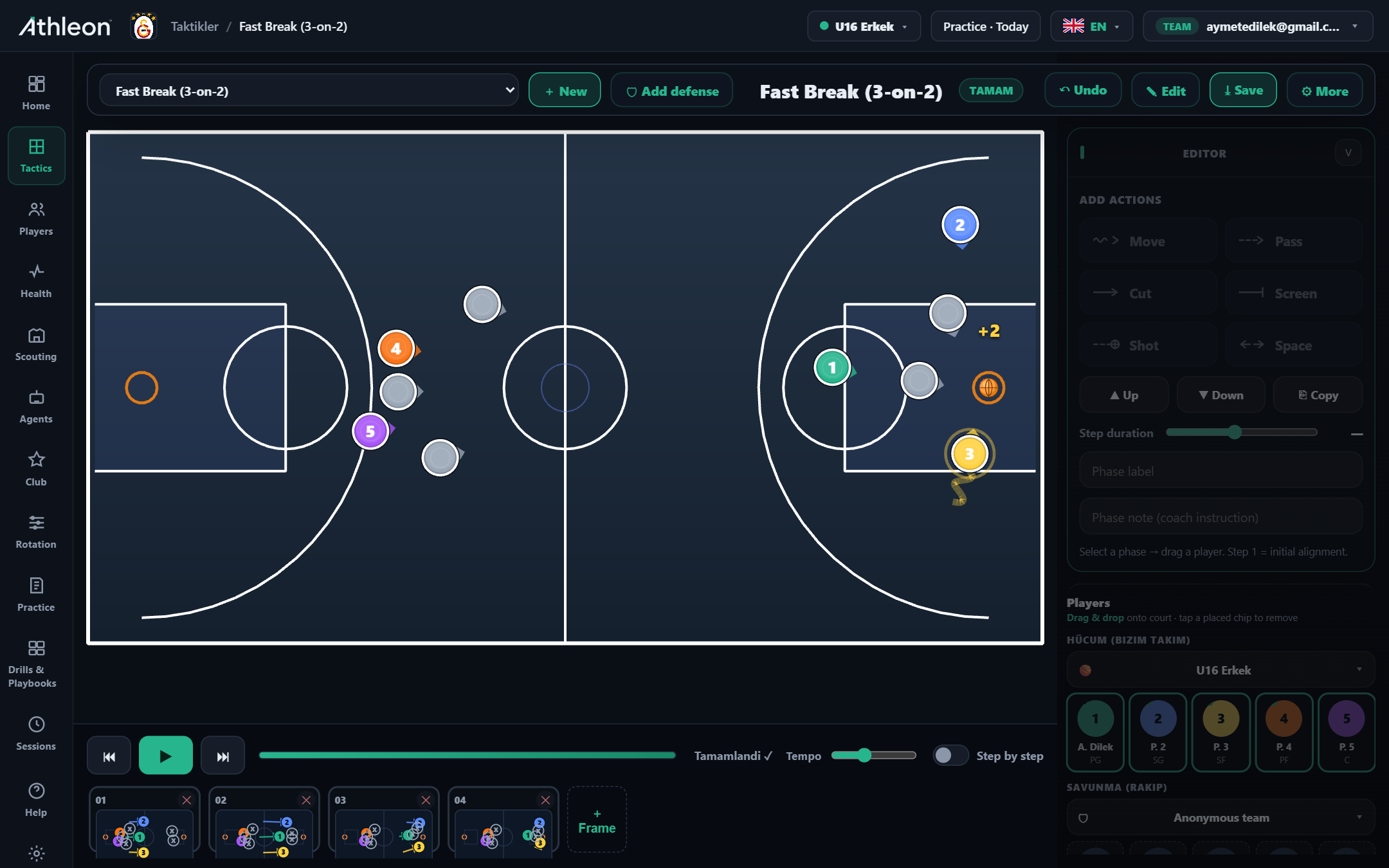
Select Move, Pass, Cut, Screen or Shot; drag to draw arrows and running paths. Each movement can go into its own phase.

3

Add defensive reactions

Assign Drop, Hedge, Switch or Trap behavior to opponent players. The defensive set mirrors real game scenarios.

4

Split into phases and animate

Use "Add Step" to manage each phase of the play; adjust speed with the Tempo slider, play step-by-step or continuously.

5

Save to library and share

Name the set, assign a category (Offense / Defense / OB / Late-game) and share with your team. Players open the link on their phone.

Features

Power in every detail

Drag-and-drop editor

Place players on the court; drag and drop to draw movements. No code, no templates.

Phase-by-phase animation

Build each phase separately, play back smoothly with tempo control. Step through player by player.

Realistic defense

Drop, Hedge, Switch and Trap — assign 4 distinct defensive reactions to opponent players.

Set library

Categorize your plays (Offense / Defense / OB / Late-game) and share with your team.

Instant sharing

Send sets to your assistant or players in one tap; open via link or QR.

Any device

Same account on tablet, phone and computer — work courtside on a tablet.

Move — Player running paths

Show different movement types with solid or dashed lines; sprint and slow run have separate drawing styles.

Pass — Pass lines

Separate symbols for direct and long passes; pass direction is clarified with arrowheads.

Cut — Cutting movement

Show backdoor, v-cut and basket cut with a distinct line style; draw the cut route relative to the defender position.

Screen — Setting a screen

Mark on-ball and off-ball screens; standard symbols for pick-and-roll and pick-and-pop.

Shot — Shot location

Mark the shot location on the court; different symbols for mid-range, 3-point or layup.

Defense — Drop · Hedge · Switch · Trap

4 distinct screen defensive reactions: Drop (stay back), Hedge (show hard), Switch (swap), Trap (double-team).

Inside the app

Every detail at your fingertips

Tactics editor — Fast Break 3-on-2
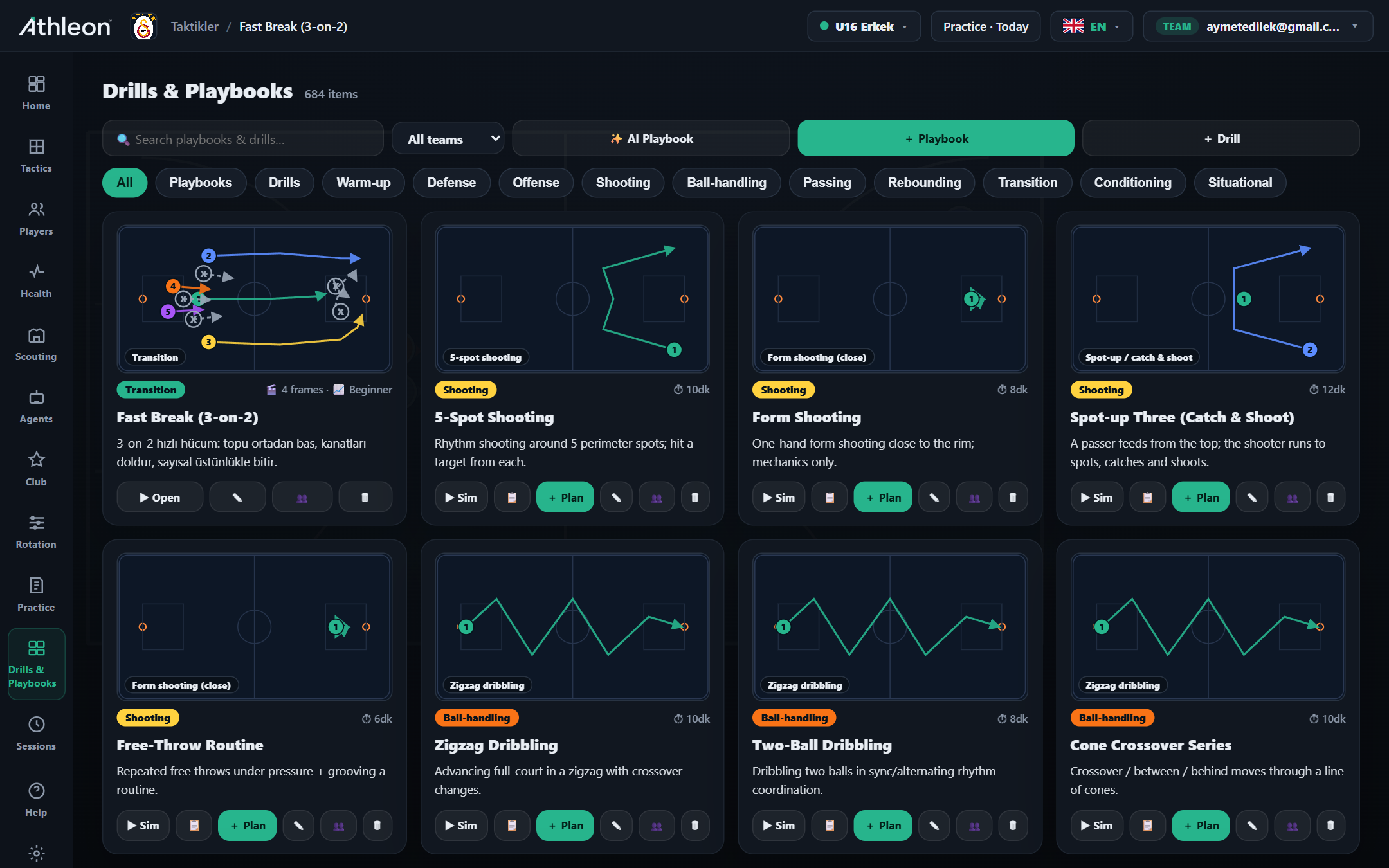
Drill & Playbook library
How it works in practice

Real-world use cases

Scenario

Pre-game briefing

Draw the opponent's press break set, split it into phases and share with your team. Players watch the animation on their devices and hit the court ready.

Scenario

Teaching defensive systems

Animate Drop, Hedge and Switch as separate phases; players grasp each scenario visually and court time is reserved entirely for repetition.

Scenario

Player education

Share OB sets and late-game scenarios with young players. After watching the animation before the game, they clarify their roles on the floor.

Ready to take your club to the next level?

Try Athleon free — draw tactics, manage your roster, plan practice and track the full season on one platform.

Start Free